★★★★Robert H.
Solid. It assumes a fairly traditional menu, so I swapped a few rows out for what we actually cook. Once I did that the backwards timing worked perfectly.
It earns its place when you are making six or more dishes, at least four of them want the oven, and someone is arriving at a fixed time.
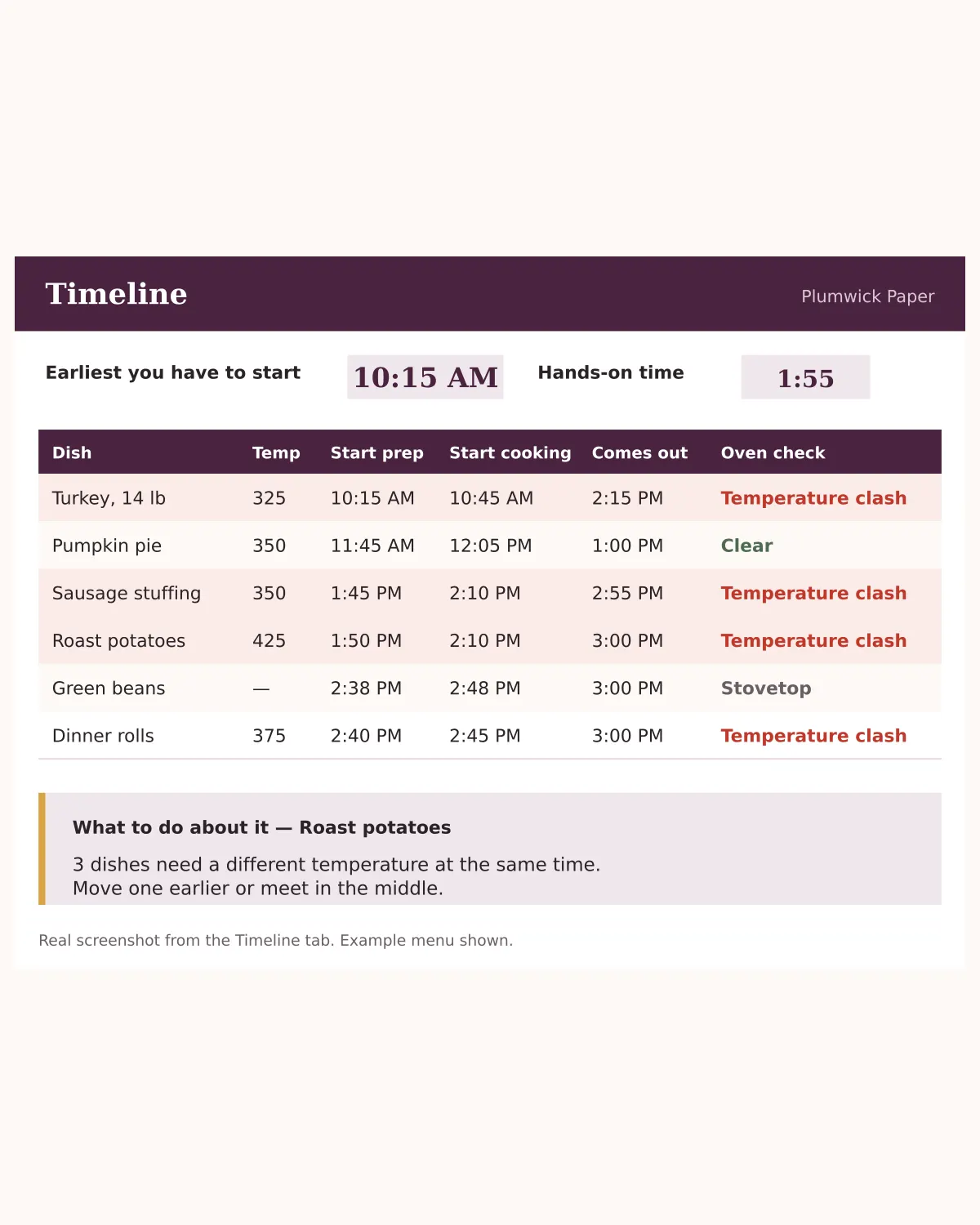
Tell this planner what time you want to sit down. It works backwards and gives every dish a start time — then names the two dishes that are about to fight over your oven.
You can cook all of it. You have cooked all of it before. What goes wrong is the scheduling, and no recipe on earth helps with that, because every recipe is written as though it is the only thing you are making. So at a quarter to three you are holding a tray of rolls, the potatoes need the oven twenty degrees hotter than the stuffing can survive, and the turkey is still resting on the counter taking up the only clear surface you have. The fix is not cooking better. It is knowing at eleven in the morning that you are not behind.
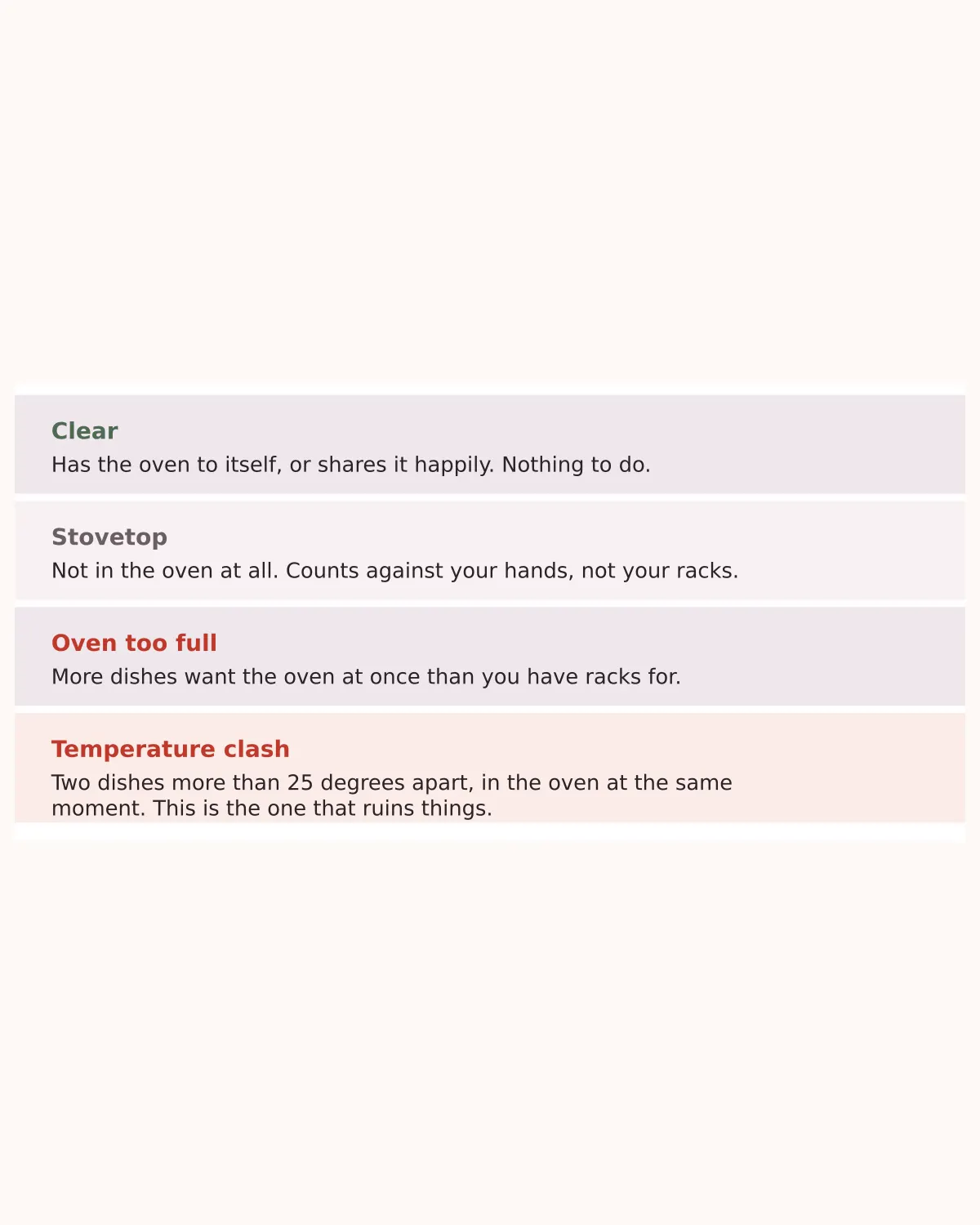
Put in each dish's temperature, cook time, rest time and prep time. The planner works out when every dish is inside your oven, then checks whether any two of them overlap at temperatures more than 25 degrees apart. Inside 25 degrees it stays quiet, because a home oven swings that much anyway between the thermostat clicking on and off. Outside 25 degrees something genuinely suffers, so it speaks up — and tells you how many dishes are involved. Rest time is the secret. A turkey resting for 45 minutes is 45 minutes of free oven, and this is the only planner that counts it.
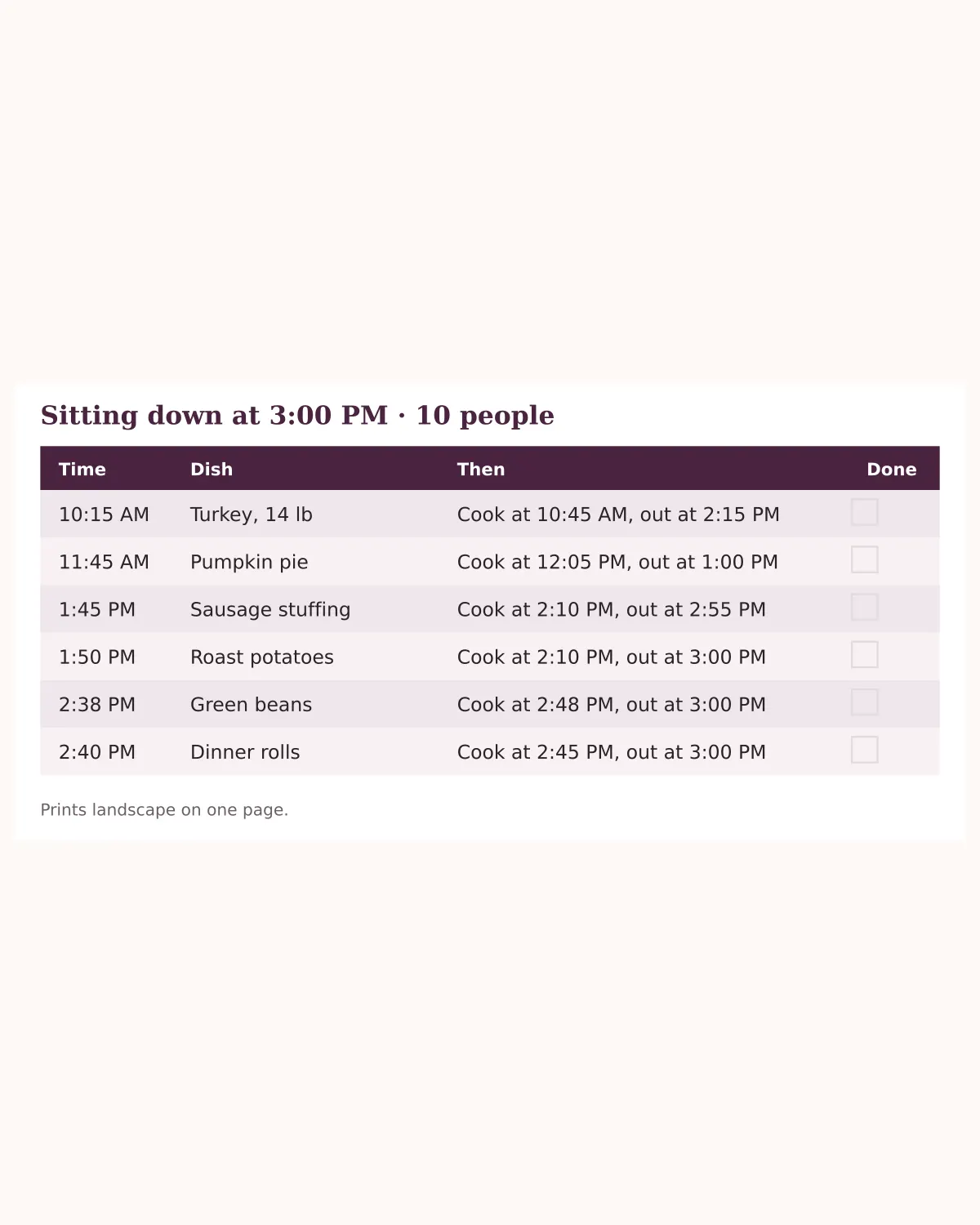
Change one number on the Setup tab and every start time in the workbook recalculates, including the printed run sheet. No redoing it by hand at eleven in the morning when your guests text to say they are late. The Run Sheet sorts everything into the order you actually do it, with a tick column. It is the one part of this that works better on paper. Five tabs. Two of them you fill in, three of them work for you.
If you are making three dishes for four people, you do not need this. You will spend longer setting it up than you would spend cooking.
If you want recipes, it does not have any. It assumes you already know how to cook the food and only need to know when to start it.
It earns its place when you are making six or more dishes, at least four of them want the oven, and someone is arriving at a fixed time.
Solid. It assumes a fairly traditional menu, so I swapped a few rows out for what we actually cook. Once I did that the backwards timing worked perfectly.
I have hosted before and still got things out of this. Mostly the make-ahead list — I had not realised how much of the meal can be done and frozen on the Monday.
First year hosting, eleven people. The oven schedule is the whole reason to buy this. I found out on the Sunday that two of my sides wanted the oven at different temperatures at the same time, instead of finding out at four o'clock on the day.
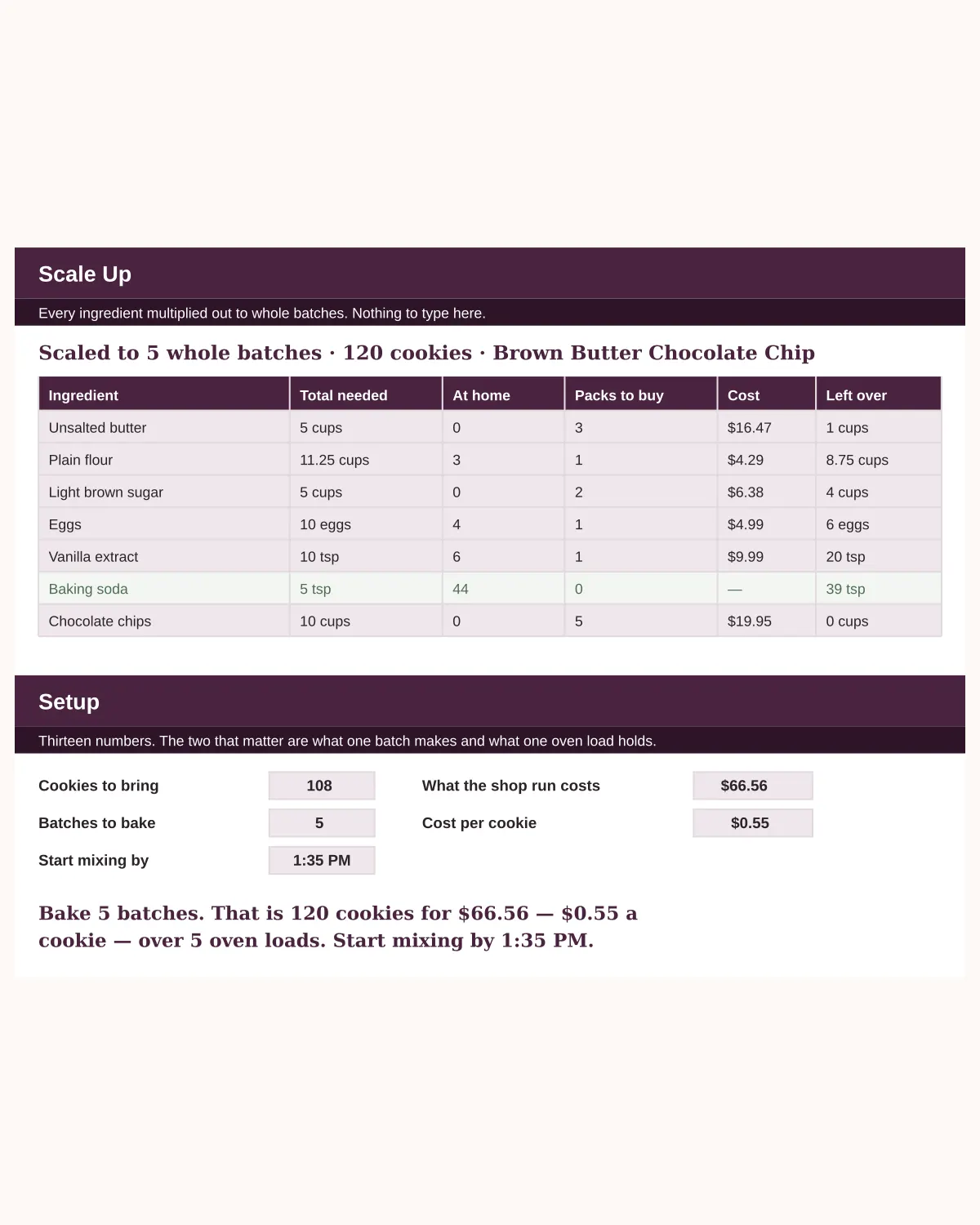
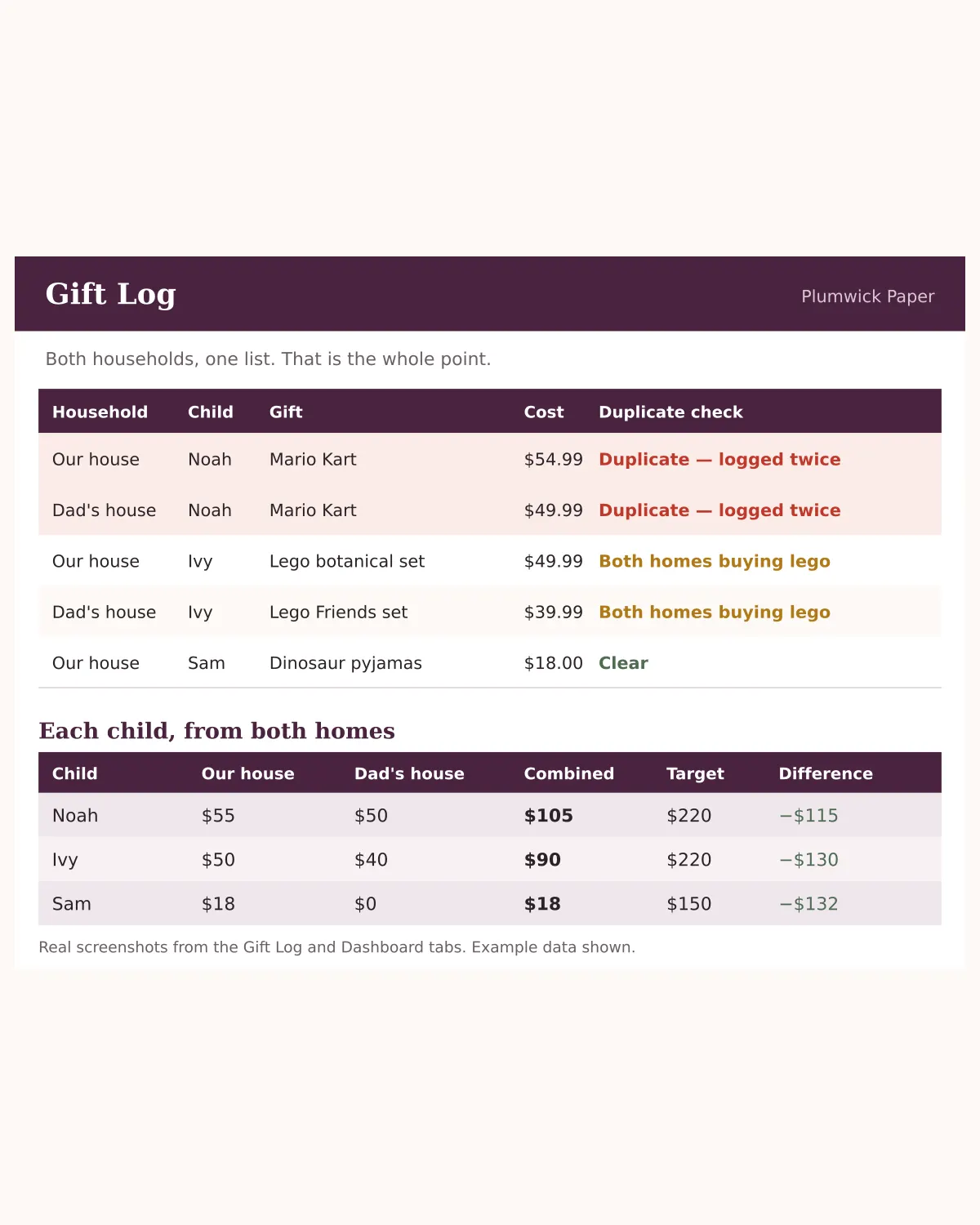
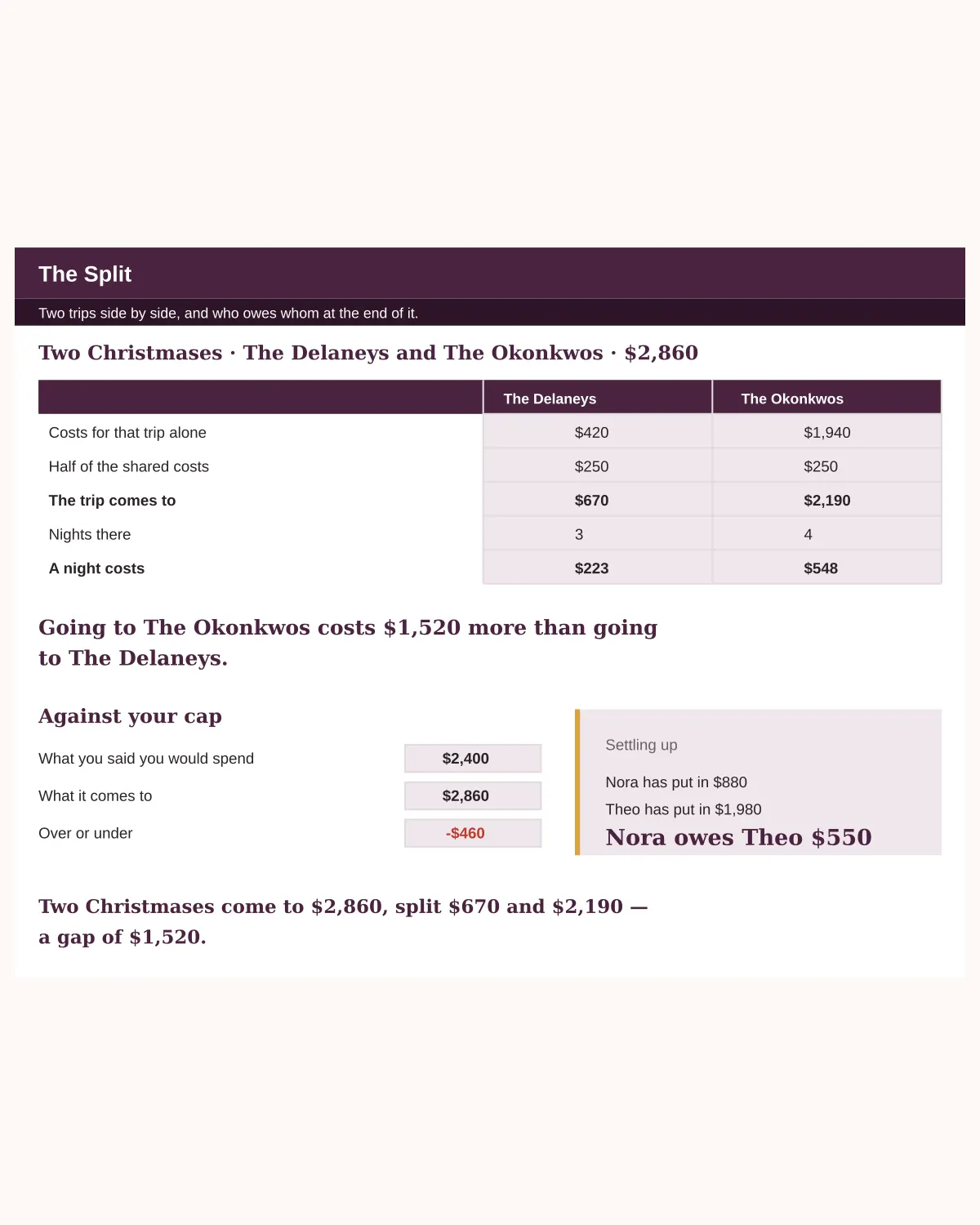
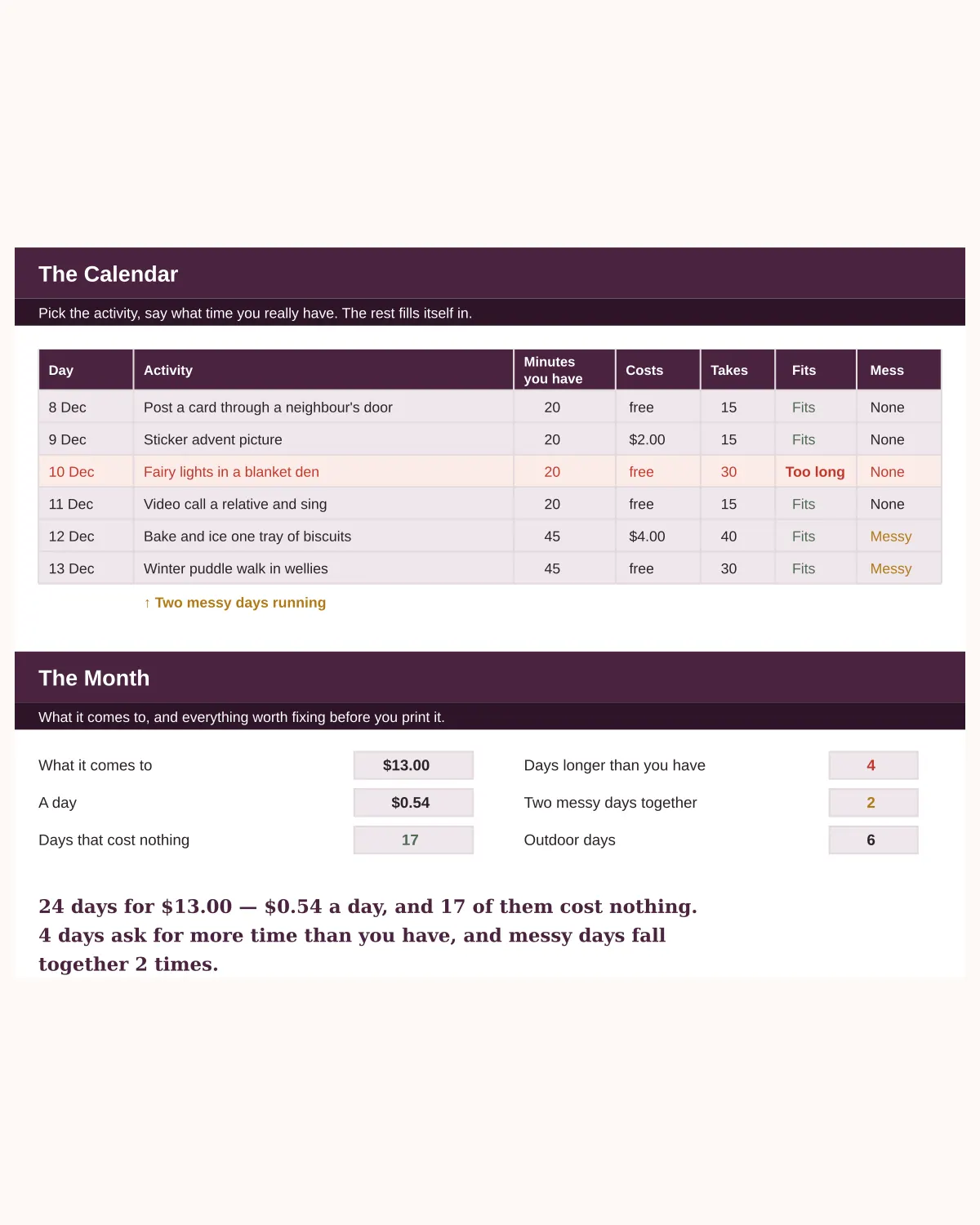
The gift budget, the Thanksgiving timeline, the blended-family gift tracker, the remote Secret Santa kit, the cookie swap planner, the two-families travel budget, the fifty-card Christmas list, the mixed-diet menu planner, the toddler activity calendar, and the ninety-day January debt reset. Bought separately they are $90.
Get all ten — $39