Plumwick Paper

The Fair Share Gift Budget

It earns its place when you are buying for three or more people and you care whether it lands evenly.

$9
  • Excel and Google Sheets both open it — .xlsx included
  • Nothing to install, nothing to subscribe to
  • Opens on your phone
  • Instant download after payment
  • 14-day refund, no questions

This planner shows you the gap between your children while there is still time to close it. One number, updated the moment you log a gift.

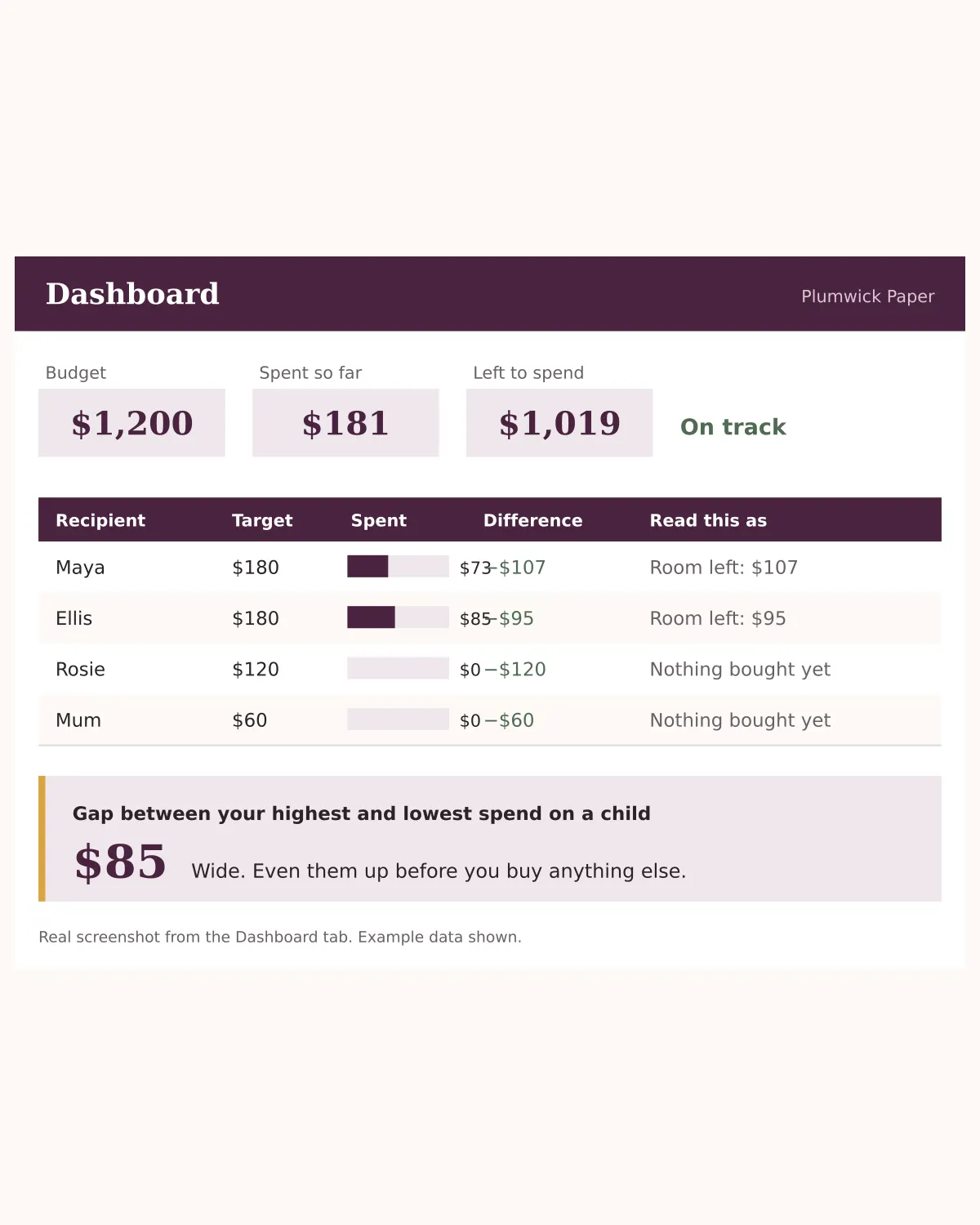
The Dashboard tab showing spend per child, the difference against each target, and a fairness gap of 84 dollars between the highest and lowest spend.

The gap opens quietly

One child's main present goes on sale in October, so you buy two more things while the price is good. Another is harder to shop for, so you leave them until the second week of December and then panic-spend to catch up. Nobody makes a bad decision. The total still lands roughly where you planned. But the piles are not the same size, and on Christmas morning the children can see that before you can. Every other gift tracker gives you one number: what you have spent in total. That is the easy number. This one gives you the number that actually matters.

One number tells you where you stand

One number tells you where you stand

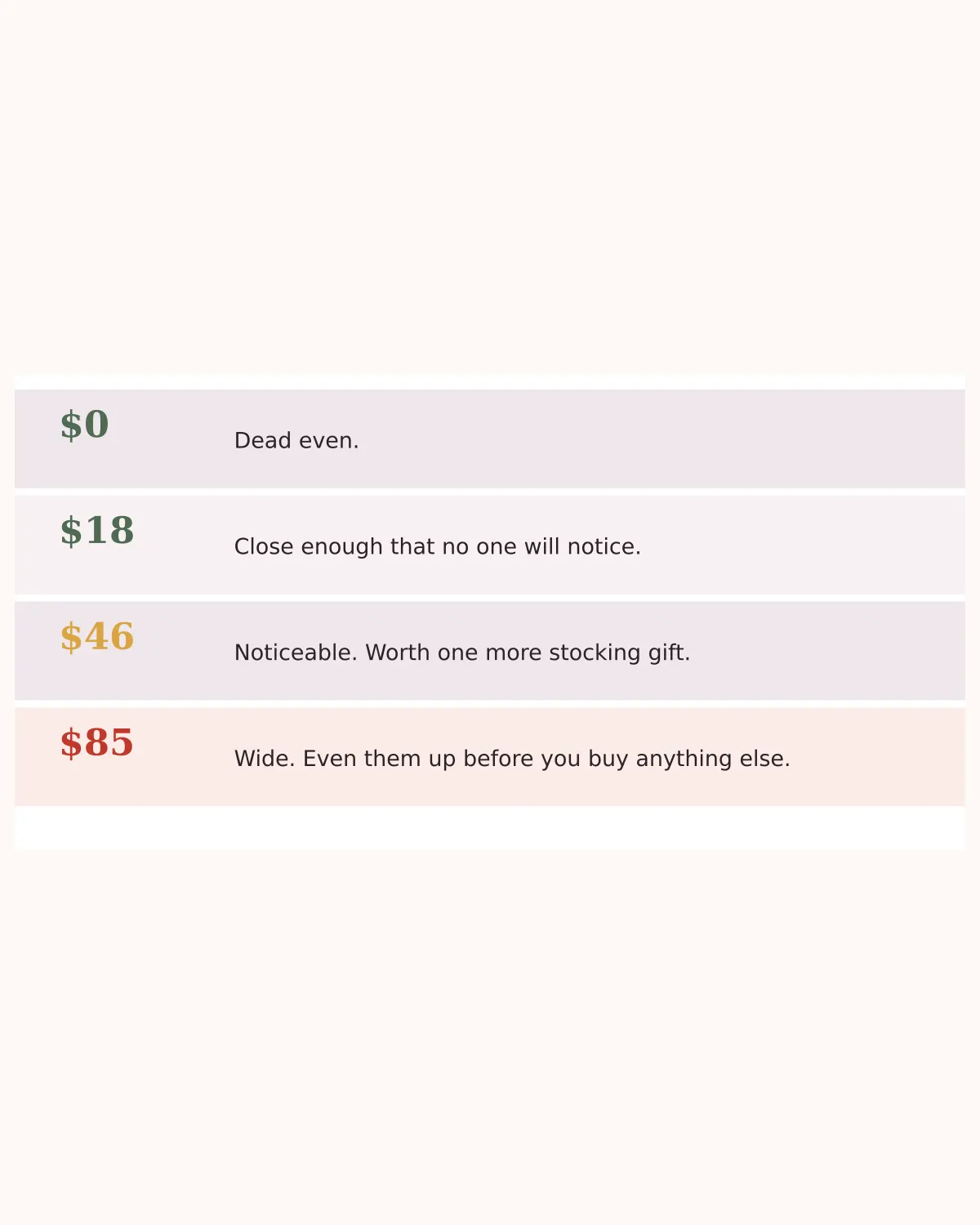
The Dashboard takes the child you have spent most on and the child you have spent least on, and shows you the distance between them. Then it tells you, in plain words, whether that distance matters yet. No formulas to write. No charts to build. You log a gift on one tab and this updates on another. The wording changes with the number, so you never have to interpret it.

What's inside

Start Here
A one-page explanation of the colours and the order to do things in. Read it once and never again.
Setup
Your total budget, everyone you are buying for, and a target spend for each of them. Type a set of targets that add up to more than your budget and it tells you by how much, before you have spent a penny.
Gift Log
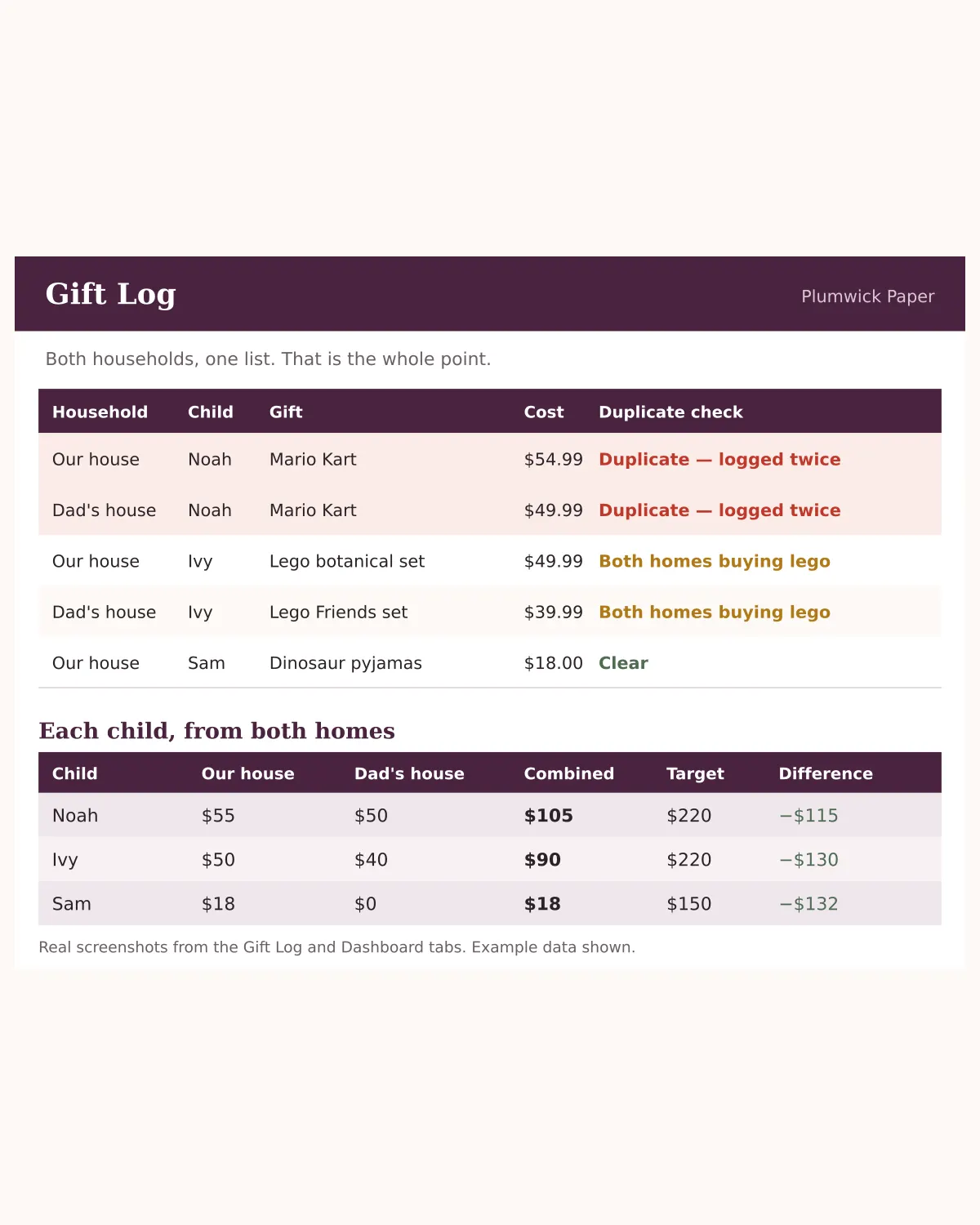
One row per gift. Recipient, what it is, where from, what you expected to pay, what you actually paid, and whether it is an idea, ordered, arrived, wrapped, or given. Pay more than you budgeted and the cell turns red on its own.
Extras
Wrapping paper, shipping, cards, postage. A separate tab on purpose, because when extras sit in with the gifts they become invisible, and invisible is how they double.
Dashboard
Spend per child against target, the difference in red or green, a progress bar per person, the fairness gap, and a plain-English line for every row. Nothing to fill in.

How it works

  1. 1PayCard only. No account, no password, no address. Two fields and a payment box.
  2. 2DownloadThe link appears on screen straight away and lands in your inbox at the same time. It does not expire.
  3. 3Open itDouble-click for Excel, or File → Import → Replace spreadsheet for Google Sheets. Every formula carries over.

Specifications

Formats
Excel (.xlsx), Google Sheets (.xlsx) and a printable PDF guide
Tabs
5
Works in
Excel, Google Sheets, Numbers, LibreOffice
Opens on
Desktop and phone
Delivery
Instant download, plus an emailed link that does not expire

Who this is not for

If you buy for one child, or a couple of gifts a year, this is more sheet than you need. There is no gap to measure and you will feel like you are doing admin.

If you want something that syncs to your bank account, this is not that either. You type what you spent. That is the whole system, and the typing is the part that makes you notice.

It earns its place when you are buying for three or more people and you care whether it lands evenly.

Before you buy

Do I need to pay for Google Sheets?
No. Google Sheets is free with any Google account. If you would rather use Excel, that file is in the same download.
Can I use it on my phone?
Yes. The Google Sheets app handles it. Logging a gift while you are still standing in the shop is the single best habit you can build with this.
Can my partner use it too?
Yes. Share the Google Sheets version with edit access and you are both looking at the same numbers. It is also the fastest way to stop buying the same present twice.
What if I have six children, or forty people to buy for?
The Setup tab holds thirty people and the Gift Log holds two hundred gifts. Insert rows inside the existing range and the formulas follow.
Can I use it again next year?
Yes. Make a copy, clear the actual costs, and keep your people and targets. Last year's numbers make this year's targets far more accurate.
What if it does not work for me?
Email us within 14 days and we refund it. You keep the file. We would rather have the feedback than the nine dollars.

Reviews

4.8 out of 5 · 4 reviews

★★★★★A buyer

Bought it mostly out of curiosity about the gap number. Now I check it every time I order something.
★★★★Kate W.

Does exactly what it says. I did have to widen a couple of columns on my laptop because my kids have long names, which is a two-second fix but worth knowing. The fairness number is genuinely the useful part.

★★★★★Danielle

Three kids and a husband who buys things without telling me. Having one sheet we both type into has stopped the double-buying completely. The extras tab was the surprise — I had no idea wrapping and shipping was costing me that much.

★★★★★Megan R.

I found out I was $140 ahead on my oldest before I had finished shopping, which has never happened before. Usually I work that out on Christmas morning when it is too late to do anything about it. Took about ten minutes to set up.

All ten holiday planners — $39

The gift budget, the Thanksgiving timeline, the blended-family gift tracker, the remote Secret Santa kit, the cookie swap planner, the two-families travel budget, the fifty-card Christmas list, the mixed-diet menu planner, the toddler activity calendar, and the ninety-day January debt reset. Bought separately they are $90.

Get all ten — $39